Trend Micro Audit Logs
Trend Micro Audit connector uses the pull method to fetch audit logs using Trend Micro Service Platform Public API
Prerequisites
-
Trend Micro Vision One account with Admin privileges
-
Authentication token
Create an Authentication token
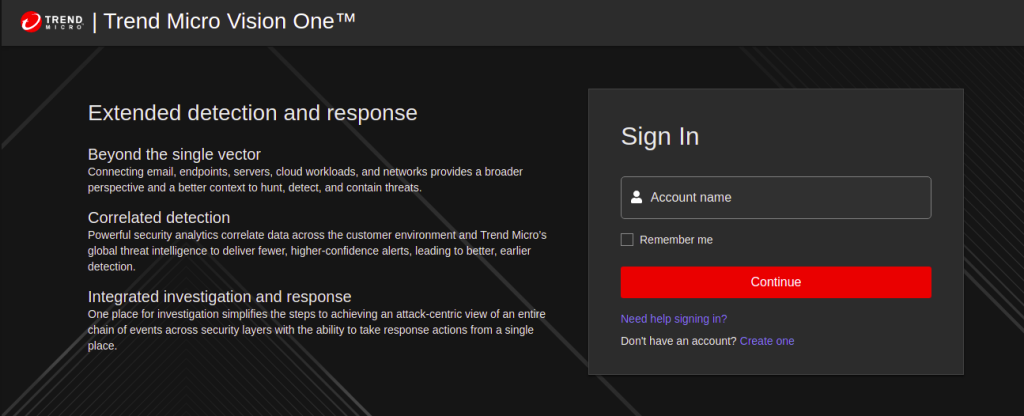
- Sign in to your Trend Micro Vision One account using the following link https://portal.xdr.trendmicro.com/#/
-
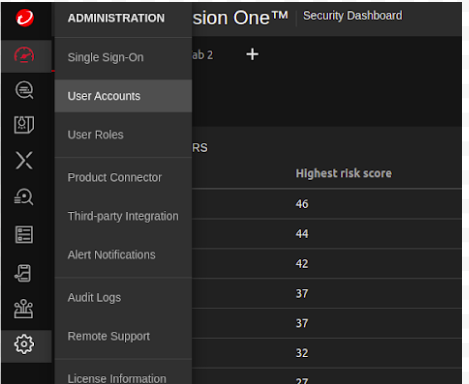
Once logged in, go to settings icon on the left navigation bar and click User Accounts.
-
Once you find your account listed on the User Accounts page, click on the account name, a popup window will be displayed.
-
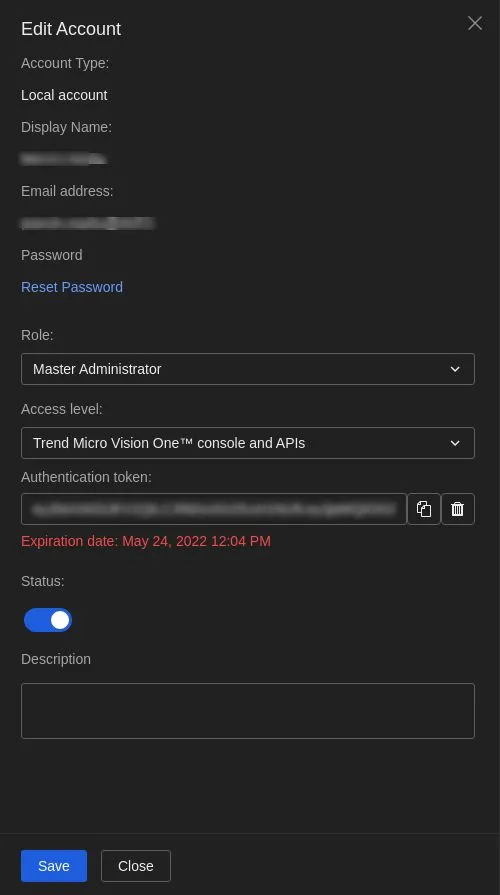
On this window make the following changes and click Save.
-
Change your Role to Master Administrator
-
Access level to Console & APIs,
-
Generate a new authentication token.
-
Configurations
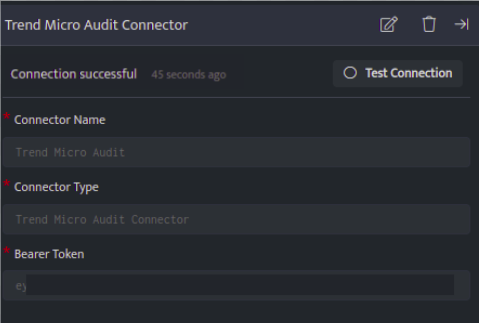
The following are the configurations to forward Trend Micro Audit Connector logs to DNIF.
| Field | Description |
|---|---|
| Connector Name | Enter a name for the connector |
| Connector Type | Enter Trend Micro Audit Connector |
| Bearer Token | Enter the Trend Micro Authentication token |
-
Click Save after entering all the required details and click Test Connection, to test the configuration.
-
A Connection successful message will be displayed on screen along with the time stamp.
-
If the connection is not successful an error message will be displayed. Refer to Troubleshooting Connector Validations for more details on the error message.