Flag Risky User Activities
Various users can be identified in logs for different streams ingested by DNIF. Multiple signals can be raised for a Suspected User, this leads to Suspected User being a Risky User.
It is possible to enrich more data about a risky user by creating an enrichment bucket to find out the top Risky Users and add a tag against the user as being Risky.
Define a custom Enrichment Bucket
You can create a custom enrichment bucket to identify the top risky users and gather additional information on why a particular user is risky.
bucket: Userfields:- Userschema-version: 1.0source:- enr_key: '{$SuspectUser}' enr_values: annotate: UserTag: Risky translate: $StatUniqueSum: RiskScore query: "_fetch * from event where $Stream=SIGNALS AND $Duration=7d group stat_unique $SuspectUser sum $DetectionScore limit 10" sourcetype: dql
| Field | Description |
|---|---|
| Bucket | Name for the enrichment bucket. |
| Fields | Field names to enrich. |
| schema-version | Schema version. |
| Source | Details below. |
Source Explanation:
- Multiple sources can be added per bucket.
- Source Type:
dql,sql, oreventstore. - Eventstore: Use the
dqlquery. - Enr_key: e.g.,
{$SuspectUser}. - Translate: Use mappings like
$StatUniqueSum: RiskScoreto rename columns.
Run a Search
To check if enrichment has been added successfully, run a search on data to fetch enriched details. Enrichment will be applied to the field values mentioned in the enrichment bucket of yml file.
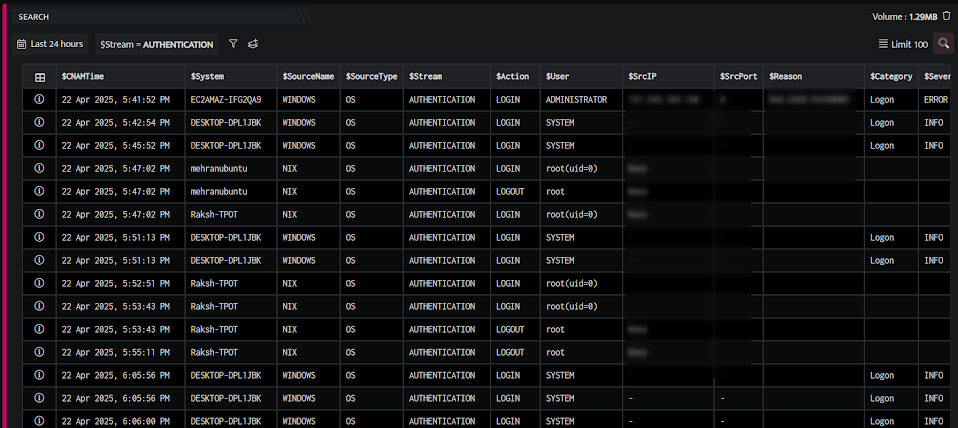
In the above screen, you can view all the additional information to identify a particular user to be risky.
From the query result, you can click the Information icon to further drill down to each entity in the result and verify the enriched details.
