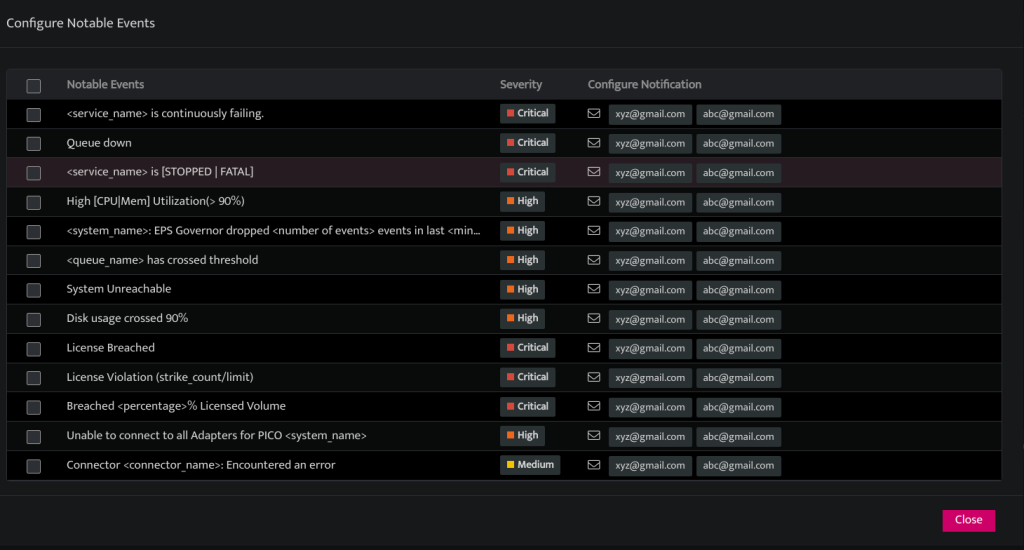
Notification for PICO events
Tenant administrators can configure email addresses to receive notifications for key events on PICO. When notable events occur, emails will be sent to the designated addresses, enabling administrators to take prompt remedial action.
Steps to enable notification for PICO events
-
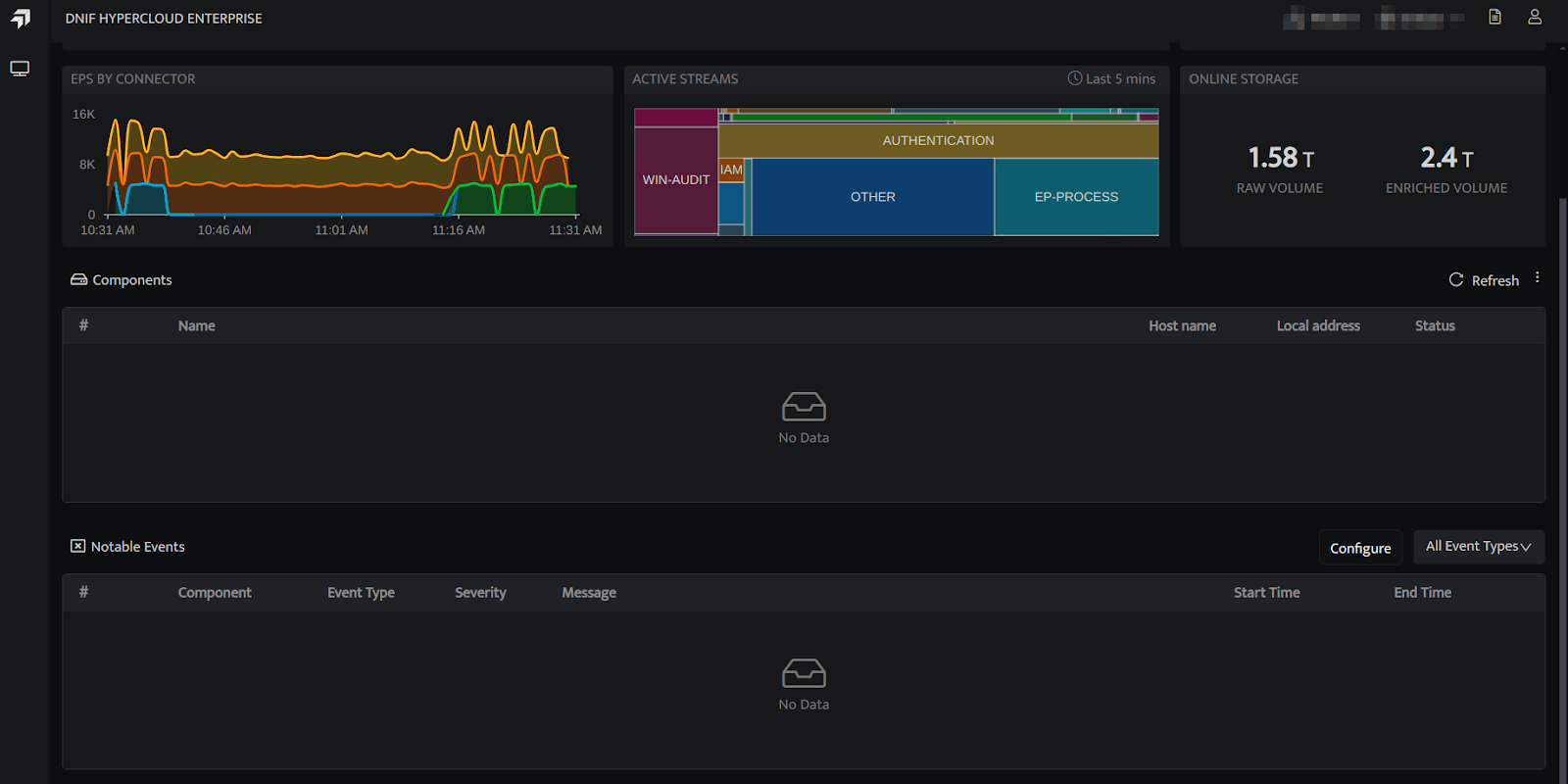
Hover on the Administration icon on the left sidebar of the Home screen, from the option displayed select Administration, and the following screen will be displayed.
-
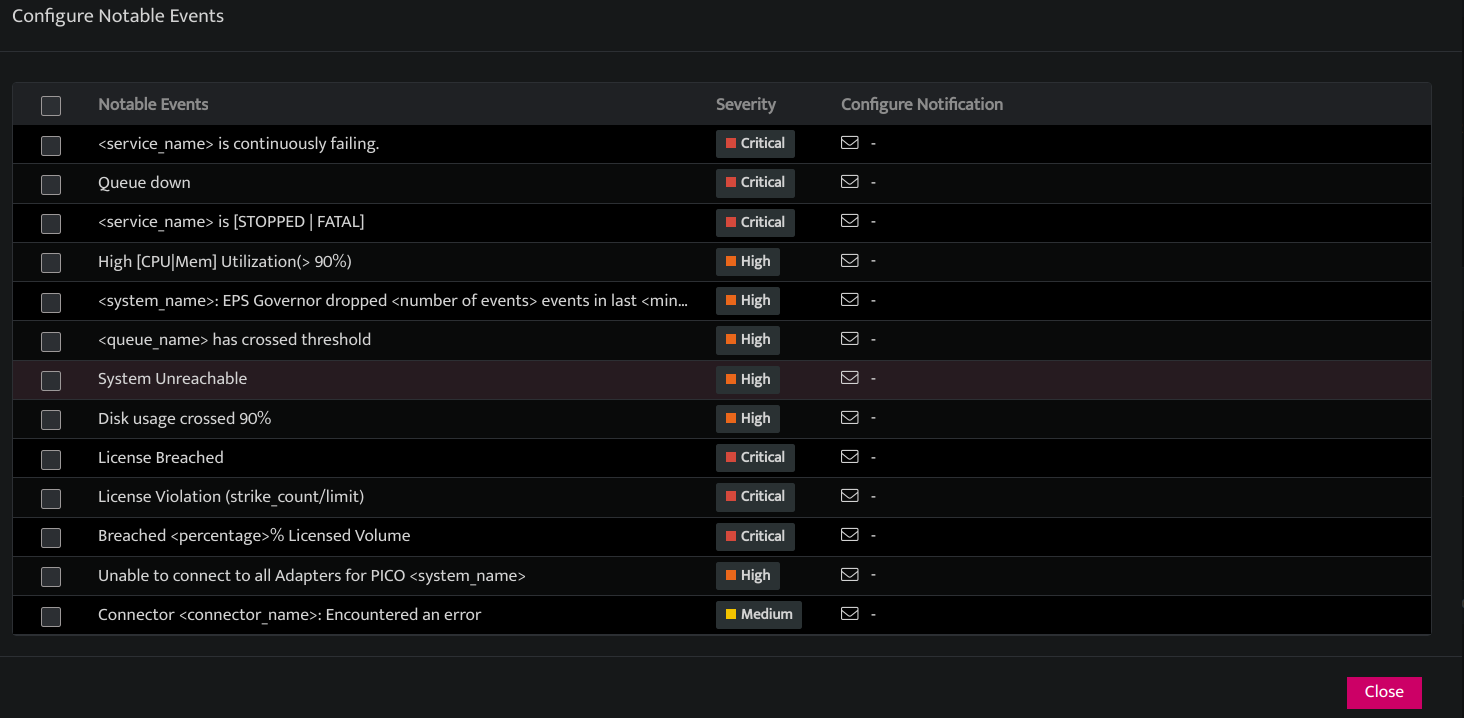
Navigate to Notable Events and select Configure. This will open the Configure Notable Events tab.
-
Select the checkbox next to the event you wish to enable notifications for. You can select a single event by clicking the checkbox next to it or choose all events by clicking the checkbox at the top of the list. A popup tab will appear having
FieldsDescriptionEnter Email ID to addEnter the recipient email address you want to send the event notification. You can add multiple email addresses.AddClick this to add the email address to the event notificationRemoveClick this to remove email address from the event notificationReplaceClick to replace all existing email addresses with new ones for the event notification.
 Click to save the action.
 Click to close the popup tab.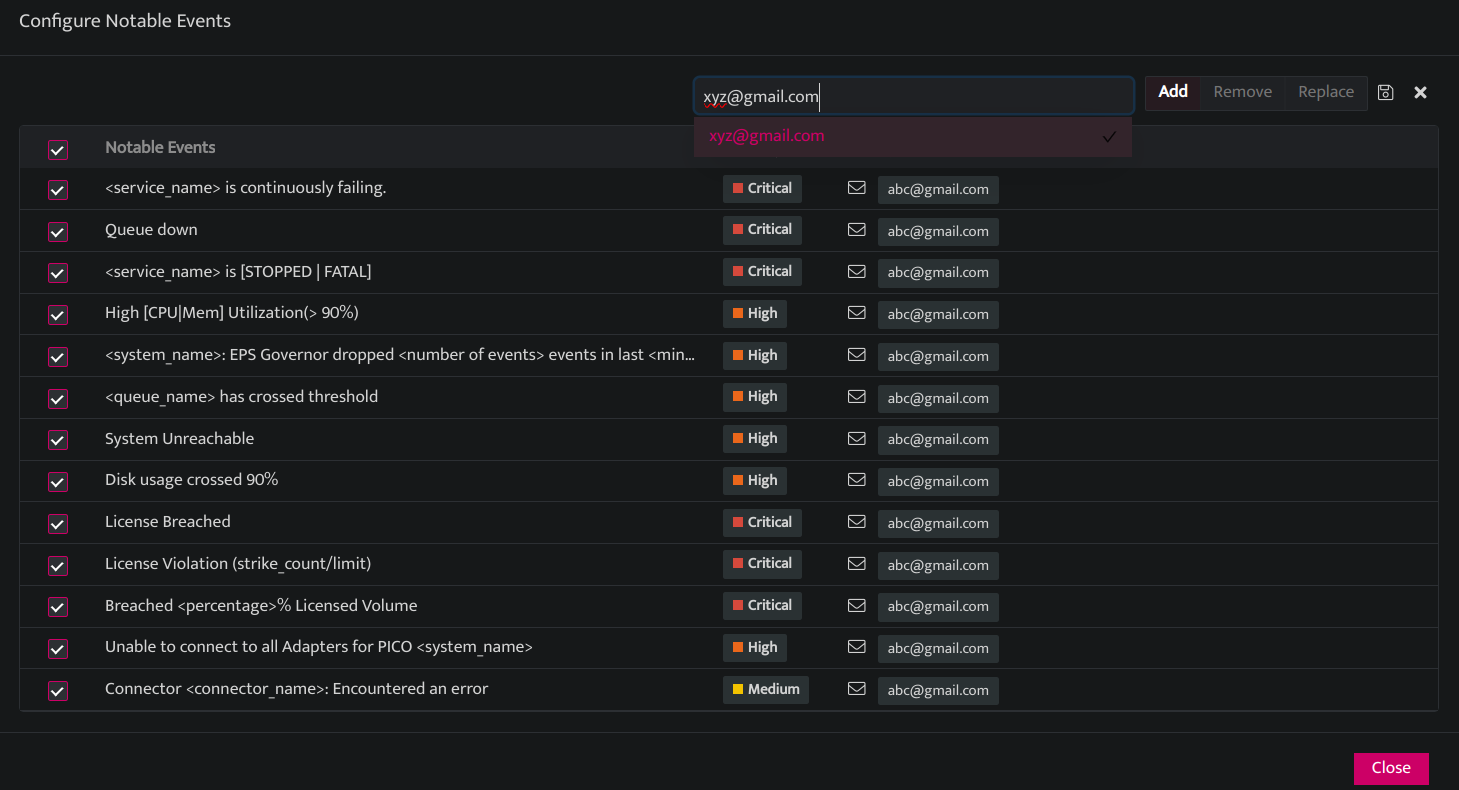
-
Click on Save.