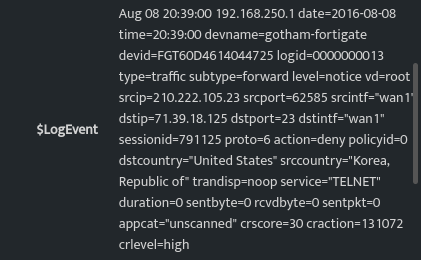
Flag matches with GreenSnow ThreatIntel
GreenSnow is a third party threat intel integration source available with DNIF in the form of an external dataset integration. It is possible to obtain a list of malicious IP addresses seen in many environments using GreenSnow.
GreenSnow Dataset Integration
An eventstore called greensnow is automatically scheduled and is displayed as shown below:

An enrichment bucket for the field $IP can be created to refer values from the greensnow eventstore.
Create a custom Enrichment Bucket
To be able to identify or flag any known malicious IP addresses in the log events, an enrichment bucket can be created which refers to data from an event store for GreenSnow ThreatIntel to flag these malicious IP addresses.
The yaml format is as follows:
bucket: IPv4
fields:
  - DevSrcIP
schema-version: 1.0
source:
  - eventstore: AssetStore
    sourcetype: event_store
The enrichment bucket would identify the malicious IP in the log events coming from different sources and point to a specific IP address in the $System field.
| Field | Description |
|---|---|
| Bucket | Enter the name for the enrichment bucket. |
| Fields | Enter the field names to be enriched. |
| schema-version | Enter the schema version. |
| Source | Details below. |
List of sources for the enrichment bucket
- Note: There can be multiple sources for one enrichment bucket
- Source Type: Enter the source type (e.g.,
dql,sql, oreventstore) - Eventstore: For this scenario, enter the eventstore name (
greensnow) - Enr_key: Enter the value to be referenced in the output (e.g.,
{IP}) - Enr_values
- Translate: Allows renaming output fields. For example:
ThreatType: Type(This replaces the column nameThreatTypewithType) |
Save the enrichment bucket.
Run a Search
To check if enrichment has been added successfully, run a search on data to fetch enriched details. Enrichment will be applied to the field values mentioned in the enrichment bucket of yml file.
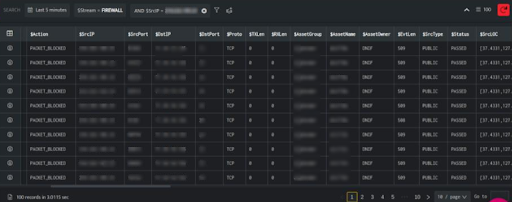
In the above screen, $Stream, $SrcPort, $DstIP, $SrcPort, $DstPort, $AssetGroup, $AssetName fileds display the details correlated to the IP Address in $SrcIP field.
From the query result, you can click the Information icon to further drill down to each entity in the result and verify the enriched details.