Dropbox Connector
Dropbox connector utilizes the pull method to retrieve Dropbox Logs through the Dropbox Business API.
Prerequisites
-
Dropbox Business Account.
-
Client ID
-
Client Secret
-
Authorization Code(By granting access via link)
How to derive the prerequisites?
-
Login to Dropbox App Console

-
Click Create app.

- On the Create a new app on the DBX Platform page, fill out the fields:
- Choose an API: Select Scoped Access

- Choose the type of access you need: Select Full Dropbox
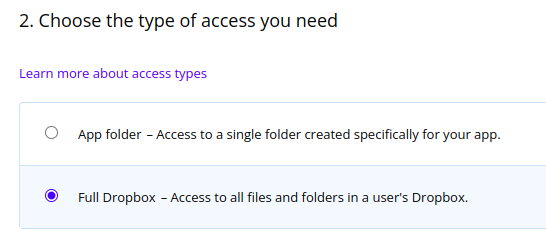
-
-
Name your app: Enter a descriptive name for your application and the click Create app.

-
-
When you are redirected to the app Settings panel, navigate to the Permissions tab at the top of the page.

- Under the Team Scopes section, check the boxes next to team_data.member and events.read


-
Click Submit in the bar at the bottom of the page.

-
Navigate back to the Settings tab at the top of the page.

- On the Settings tab, copy the App Key and App Secret values and store them in a secure location. You will need these in the next steps.

Configurations
- The following are the configurations to forward Dropbox Connector logs to DNIF.

| Field | Description |
|---|---|
| Connector Name | Enter a name for the connector |
| Client ID | Enter the App Key copied earlier |
| Client Secret | Enter the App Secret copied earlier |
| Authorization Code | To get this code, follow the steps shown below |
Get Authorization Code:
- Enter the Client ID and Client Secret in the DNIF connector form, now the Click to get Code would be enabled, click this link.

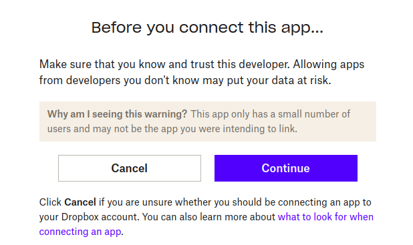
- After clicking the Click to get Code you will be redirected to Dropbox permission page, click Continue.
- Allow the app to be able to pull logs from Dropbox on your behalf.
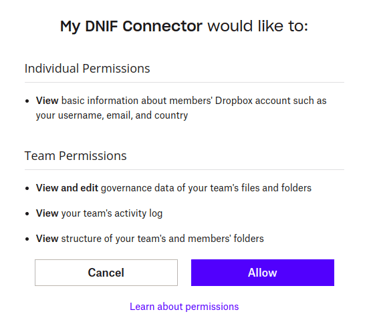
- After you have allowed the required permissions, you will get an Authorization Code.

- Copy the Authorization Code and paste it into DNIF connector form.

The following optional configurations can be done based on requirements.
| Field | Description |
|---|---|
| Log Level | Set the loglevel 0: DEBUG 1: INFO 4: WARNING 5: ERROR 6: CRITICAL |
| Number of Threads | Number of threads to publish logs |
| Size limit | Size limit for creating bunching of logs to be sent |
| Wait Time | Max time to wait for log bunching in seconds |