Detection Coverage on MITRE ATT&CK framework
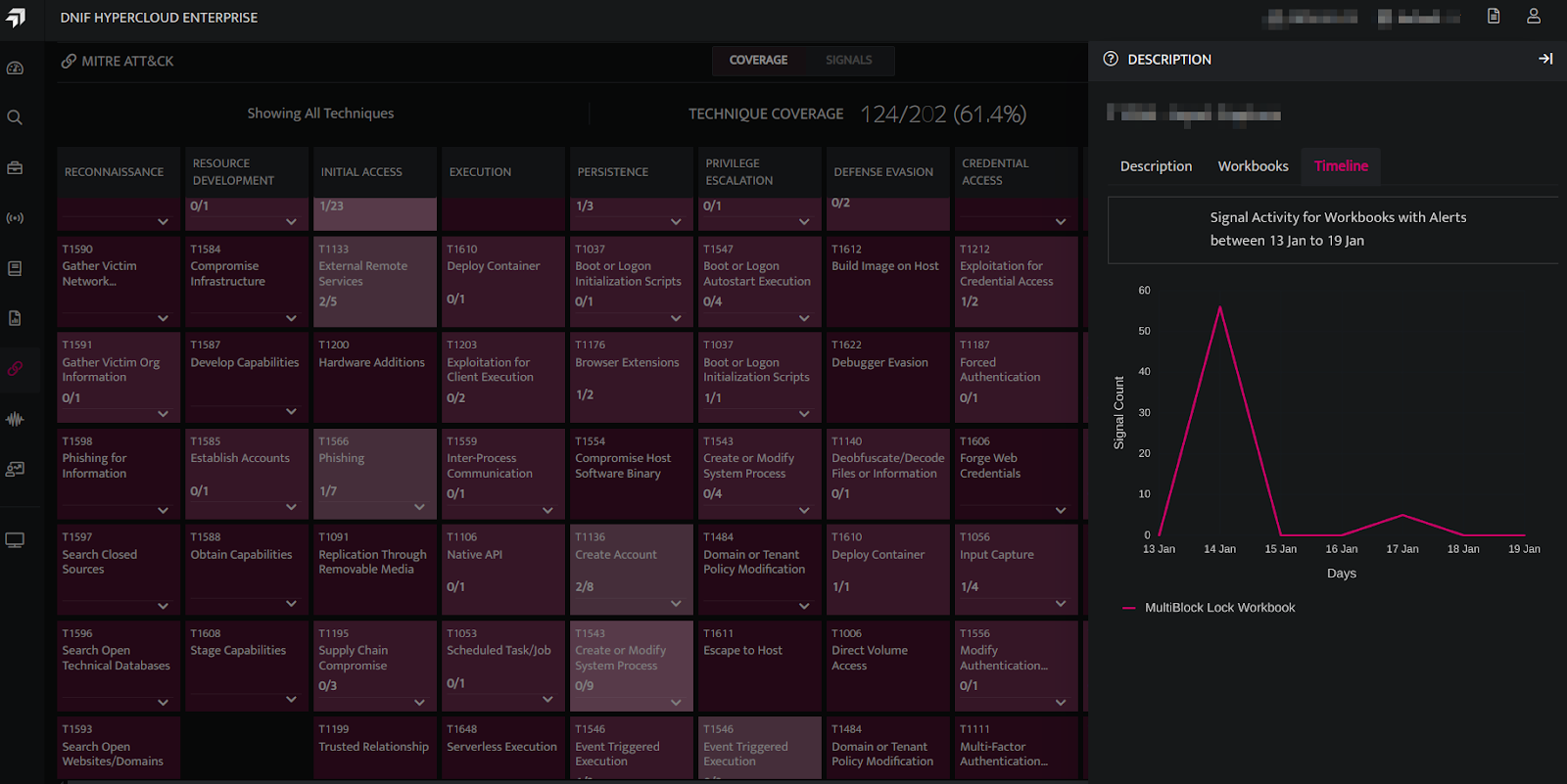
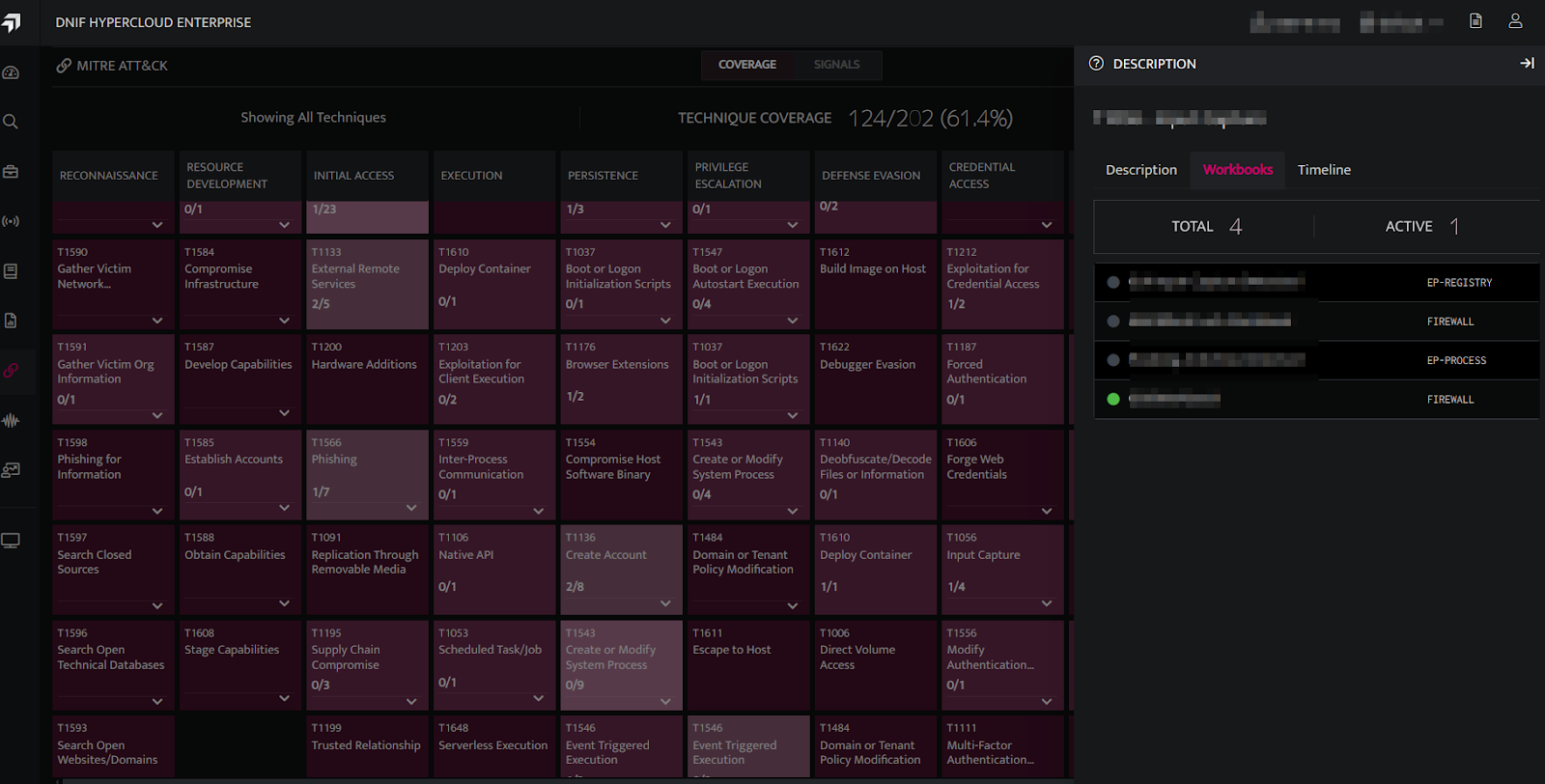
The detection coverage across the MITRE ATT&CK framework is visualized through dynamic and interactive heatmap views of techniques and tactics, providing detailed insights into DNIF's coverage and detection status.
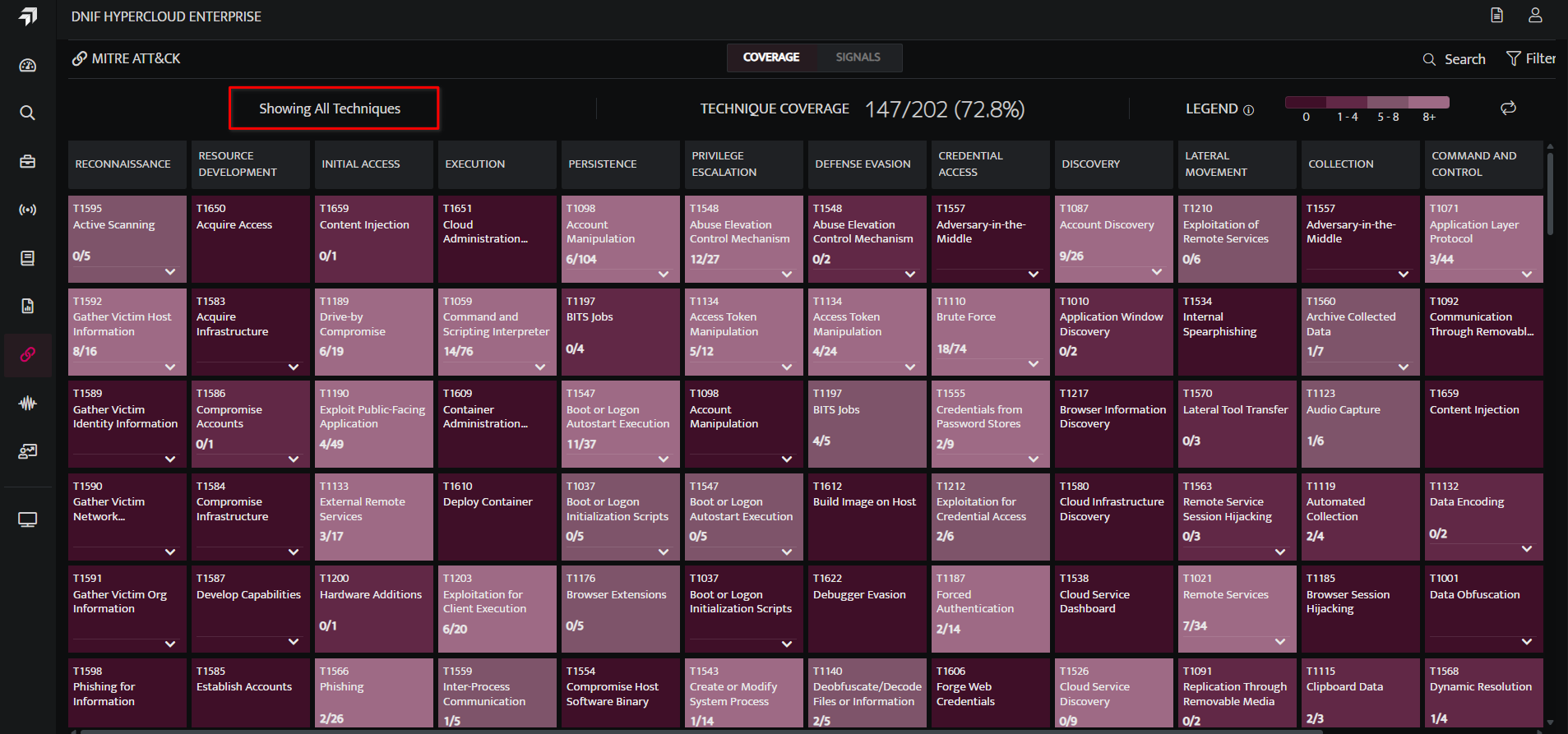
Visualizing All Tactic, Techniques, and Procedures.
Displays all tactics and techniques from the MITRE ATT&CK framework, with a heatmap representing the detection coverage provided by DNIF workbooks.
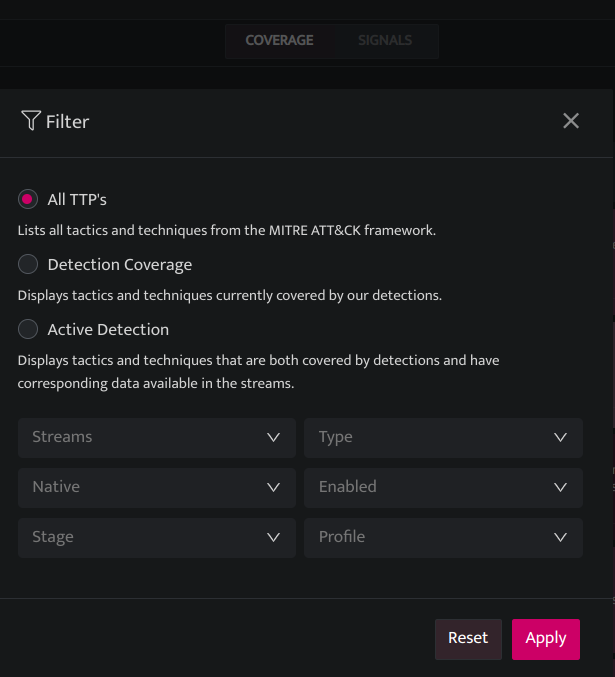
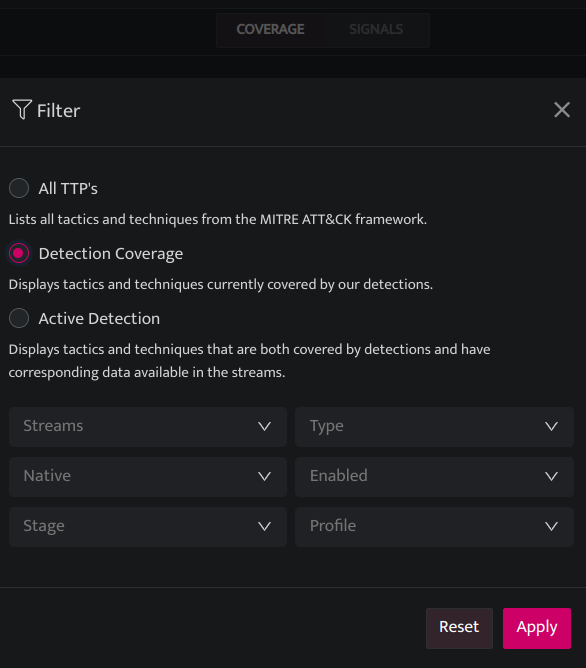
Visualizing Detection Coverage
Displays only the tactics and techniques covered by DNIF, with a heatmap representing the detection coverage provided by DNIF workbooks.
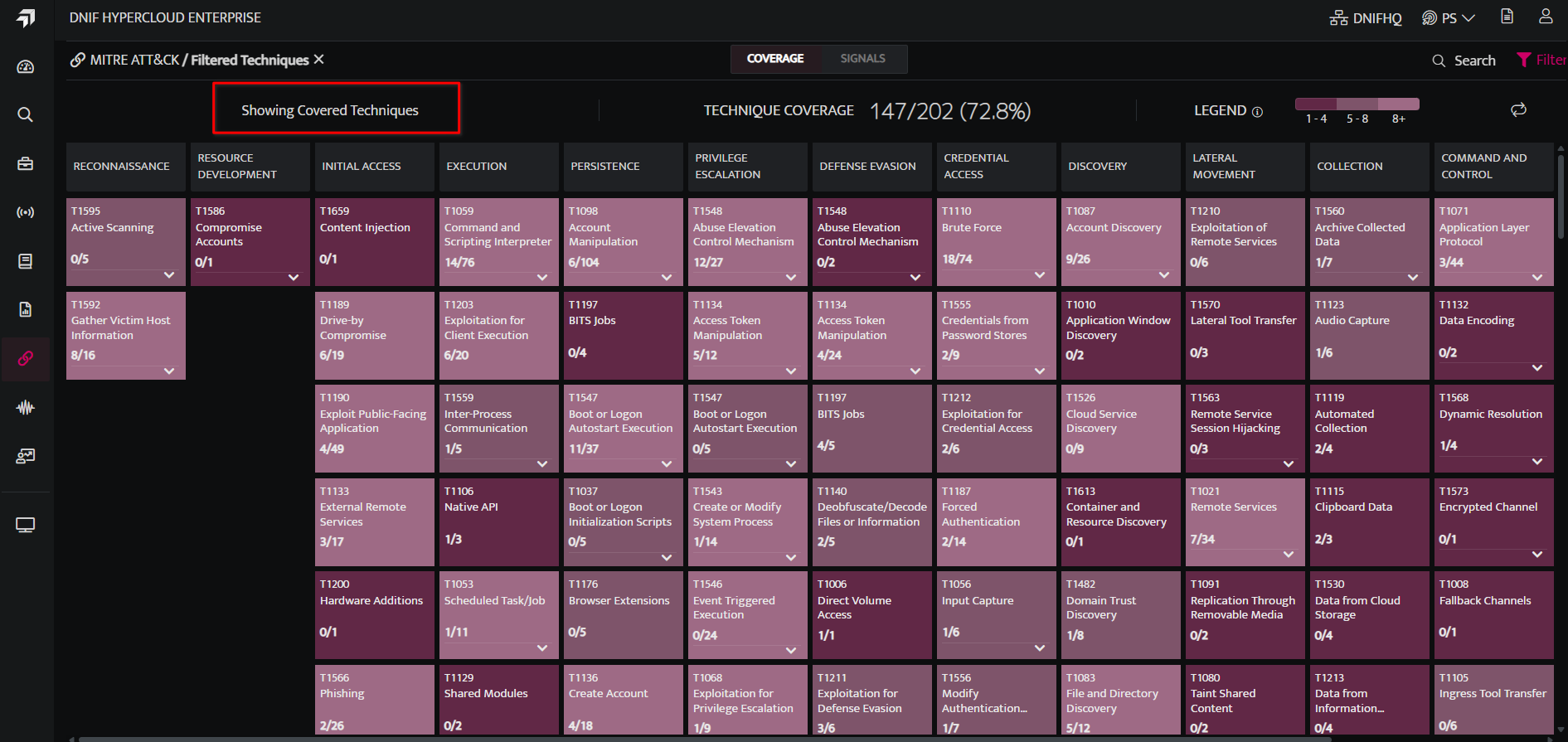
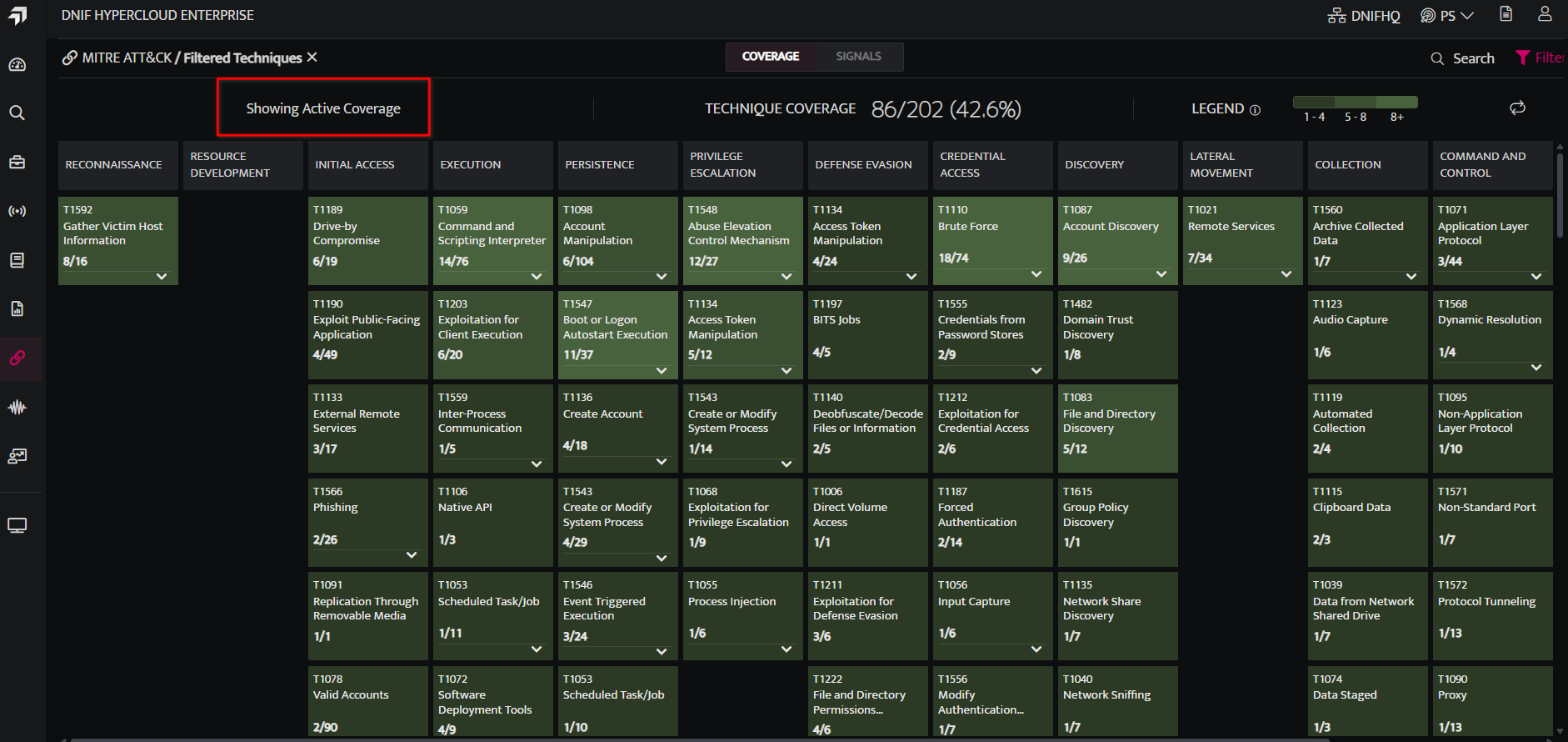
Visualizing Active Detection Coverage
Displays only the tactics and techniques actively covered by DNIF, with a heatmap representing the active detection coverage provided by DNIF workbooks.
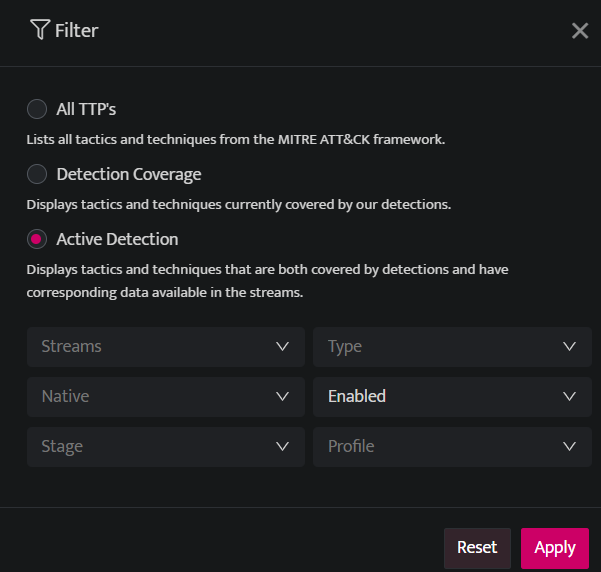
Filtering by Workbook Attributes
Users can filter the view using the following options:
| Fields | Description |
|---|---|
| Streams | Eg: Authentication, Firewall |
| Type | Off, Scheduled, Streamed. |
| Native | Native, Custom |
| Enabled | Enabled, Disabled |
| Stage | Prod, Beta, Dev, Test. |
| Profile | Basic, essential, custom |
Visualizing the Signal Activity by Timeline
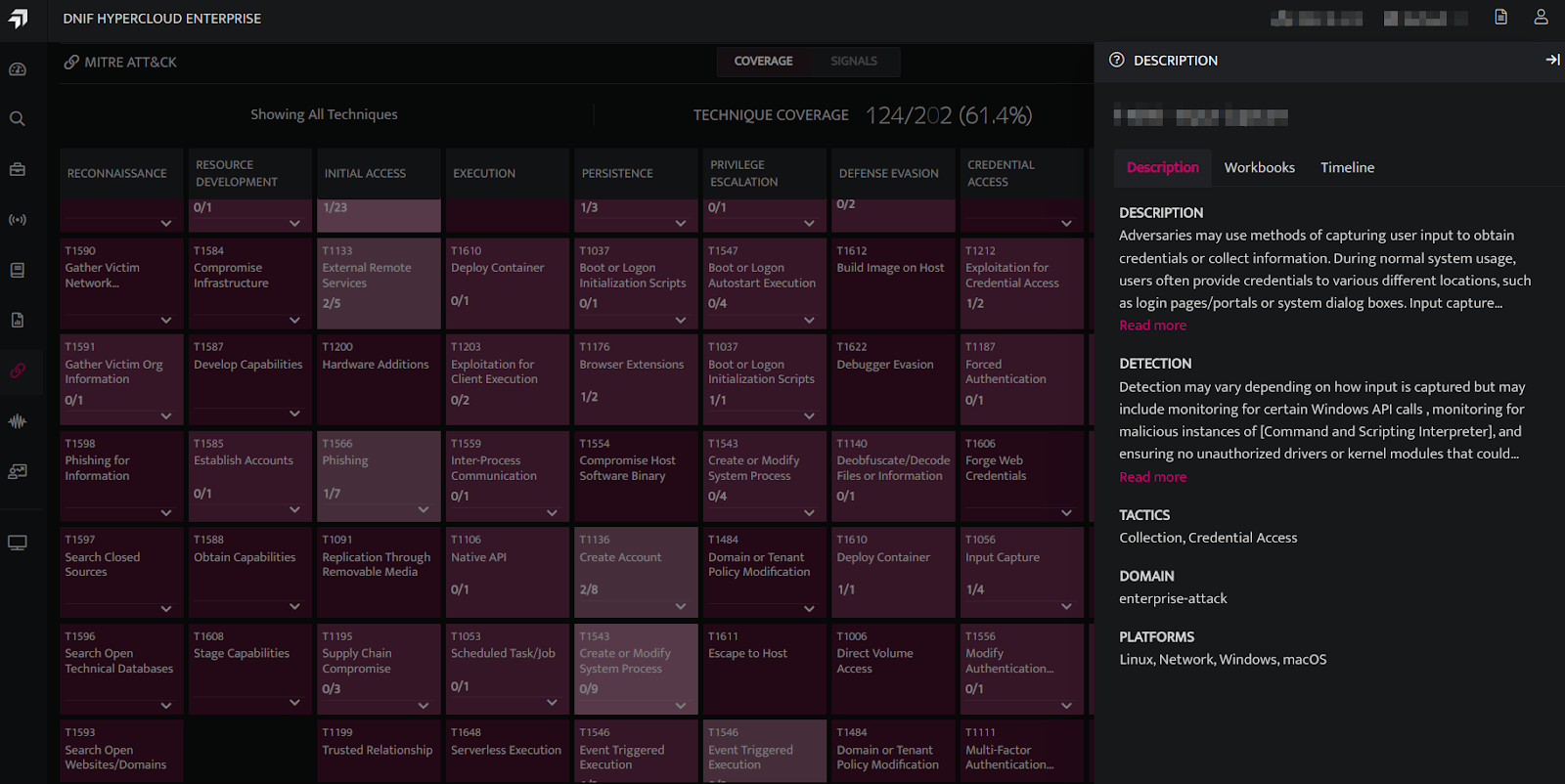
Click on the Technique Name to view the following:
-
Description: Provides a description of the selected MITRE technique, including detection methods, corresponding tactics, domains, and platforms for investigation.
-
Workbooks: View the total number of workbooks and active workbooks available for the selected MITRE technique, with active workbooks denoted by a green bullet. To access a workbook, hover over it and click the icon to open it in a new tab.
-
Timeline: A line chart depicting signal activity across workbooks for the selected MITRE technique. The timeline window updates dynamically based on the applied filter (default: 7 days - Coverage tab; 1 day, 7 days, or 30 days - Signals tab).